In the browser.
A soft panel for your headset and computer. Manage channel access from Ops, with personal mix controls for what you hear.
Explore the documentationCloud production intercom
Browser / iPhone / Companion
Keep the booth, cameras, and stage on the same page. Crewline brings production intercom to your browser, iPhone, and Stream Deck.
Free plan available. No card needed.
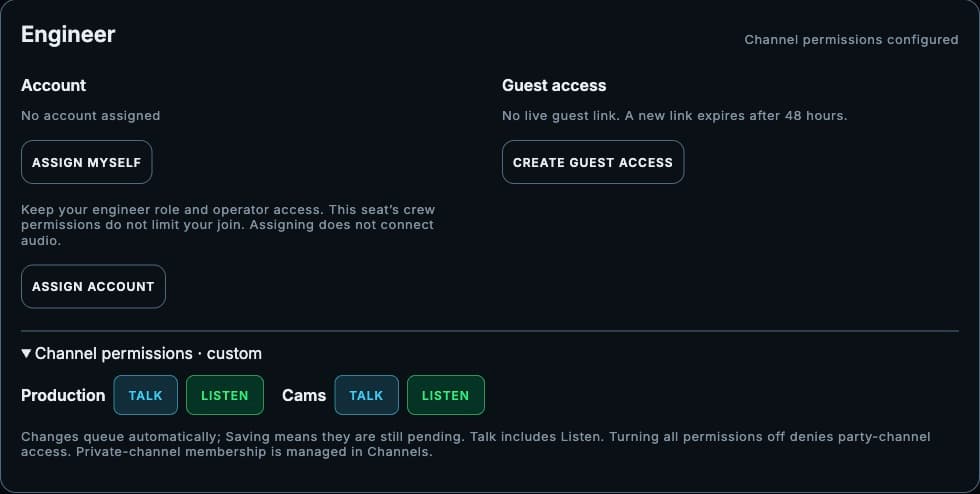
Set who can talk.
Choose who listens.
01 — From setup to showtime
Organize the show once. Give every person a place in the conversation.
Set up your channels and seats. Save a show profile so the next production starts with a familiar workspace.
Invite people to their seats. Crew accounts are free, and one login brings their assigned shows together.
Join with headphones, listen to your channels, and talk to the people who need the cue. Call and Reply help get their attention.
02 — At the desk. On the move.
A soft panel for your headset and computer. Manage channel access from Ops, with personal mix controls for what you hear.
Explore the documentationTake your seat from the phone’s browser. Crewline Connect, the native iOS app, is also available through TestFlight.
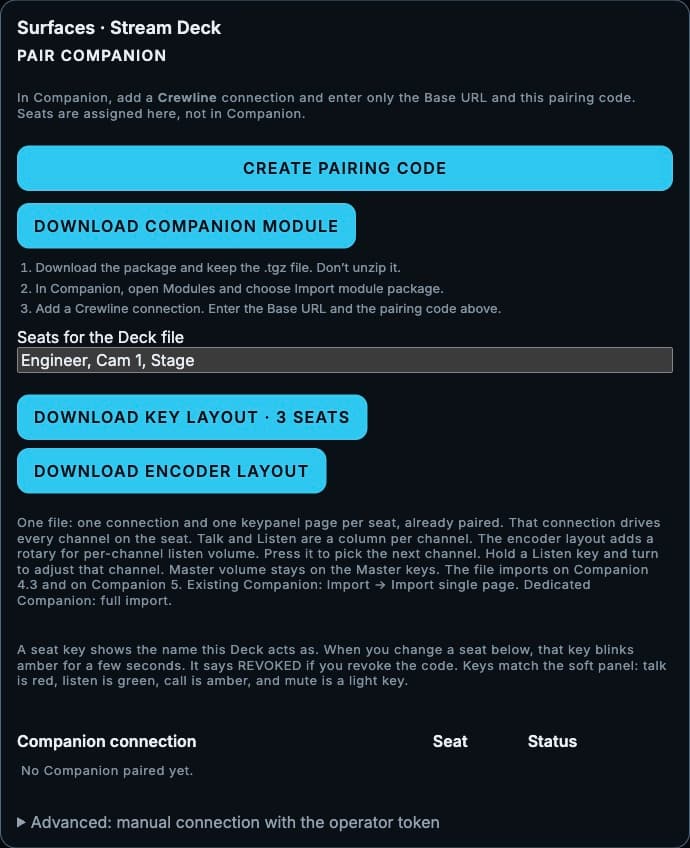
Open the mobile panelUse a Stream Deck with Bitfocus Companion for physical intercom controls. Pair from Ops and assign the deck to a seat.
Meet the Companion workflow03 — Bitfocus Companion
Your intercom belongs beside the rest of your show controls. Download the Crewline module, pair it with a code, and assign a seat from Ops.
Companion controls the keys. Your connected Crewline panel carries the audio.
04 — Scale with the show
The engineer chooses the plan.
Invited crew accounts stay free.
See the full plan comparison
$0 / month
No credit card required
$49 / month
$490/yr with annual billing
$99 / month
$990/yr with annual billing
$179 / month
$1,790/yr with annual billing
Beyond the standard plans? Enterprise offers custom capacity.
Talk to usCompanion, 1:1 calls, and Call / Reply are included on every plan. Private channels start on Pro.
Before you go live
A supported browser, an internet connection, and headphones. Create a show, invite the crew, and join your assigned seats. A Stream Deck is optional.
4 seats, 2 party channels, one live show, and 4 active show hours a month. Companion, 1:1 calls, and Call / Reply are included. No card needed.
No. The engineer’s plan covers the show’s capacity. Invited crew create free accounts and see the shows they have been assigned.
Hardware bridging and local failover are still in development. They are not part of the available Crewline workflow.
The native app, Crewline Connect, is distributed through TestFlight. You can also use the mobile browser panel today.
Ready when your crew is.
Already on the crew? Log in